Data Creation Guide

In order to make acrylic goods, you need to follow these steps.

1
Illustrator

Use .ai file.

When designing, use Adobe Illustrator to design

Download Template
2
SeparateLayer

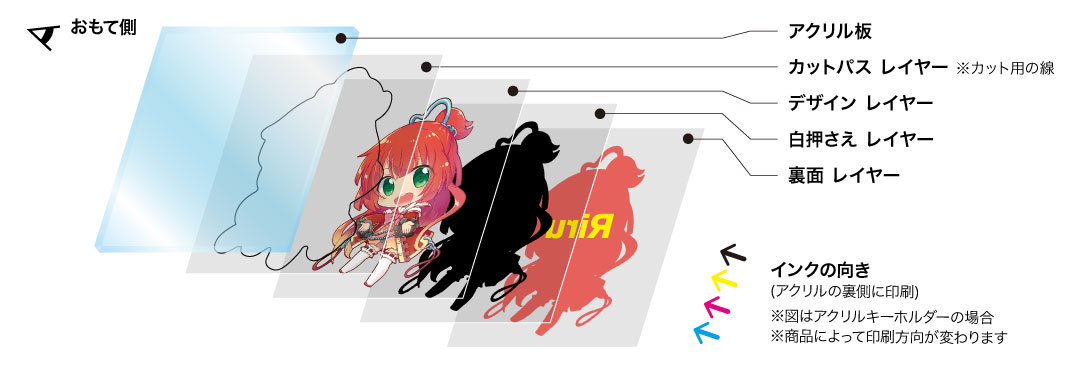
Separate layers.

For more accurate cutting, these are layers of your design you should have in order.

  • Black cut path (for the machine)
  • Your design
  • White Layer (to avoide background transparency)
  • Backside Layer
Read full guide
Watch how acrylic goods are made

Other methods available

For people who feels creating data yourself is too advance, We have other service methods available for you.

service-placeholder

Assist Service

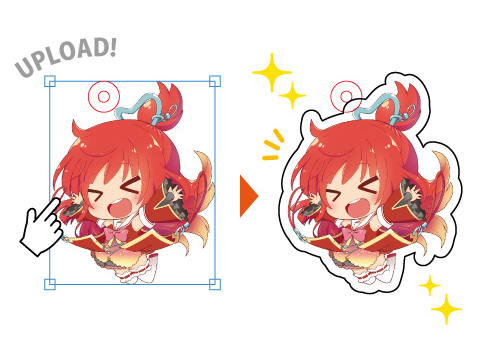
Send your design to us, and let the professional handle the data creation for producing acrylics.
*The image file should be set to 300dpi or above*

Support Files
PNG / JPG / PSD
Choose Our Product
simluation-placeholder

Acrylic Simulator

Input your design and the program will simluate the final product.
Recommended for those who don't know much about creating data files.

Support Files
PNG / JPG
* Under Development *
Chat on LINE